Free Business Card Mockup Generator
Drop your logo or card design onto a real business card and download a clean PNG — 12 card colors, no watermark, no signup, all in your browser.
Upload a design or try a sample to see your mockup.
Free 1200px PNG · no watermark · no signup. Your design never leaves your browser.
Finished checkout? We emailed your unlock code. Get your code
What is this mockup for?
HD exports — 2048px
Free downloads are 1200px on the long edge — below the 2000px Etsy recommends and the 2048 × 2048 Shopify recommends for product photos. HD unlocks the full 2048px master every template is built at.
- 2048px PNG, sized for Etsy and Shopify listings — single downloads and batch .zip
- Every category, all 171 templates
- One-time payment, no account, no subscription
- Your code works in any browser, forever
A crop of your current mockup. The free file has 1200px on the long edge (59% of HD per side), so it is softer when zoomed, printed, or shown above ~1200px; on a phone screen or a 1080px social post the two look the same.
$4.90 one-time
The free 1200px export stays free — no watermark, no signup.
Lost your code? Look it up
HD on
HD is unlocked on this browser.
HD 2048px PNG · no watermark · no signup. Your design never leaves your browser.
Every card here is a photoreal blank generated in-house for this tool, not a photograph of a printer's stock. Upload your design, switch card colors, and export — your file never leaves the browser.
Design to card mockup in three steps
Upload your design
Drop in your logo or full card artwork as PNG, SVG, JPG or WebP. A transparent PNG or SVG sits cleanly on any card color. It loads straight into your browser.
Pick a card color
Choose from twelve real card colors and your design is placed on the card with the right proportions in real time. Drag, scale or rotate it to taste.
Download free
Export a clean 1x PNG with no watermark — ready for your brand deck, portfolio, pitch or social post.
Twelve real business card colors
Twelve photoreal blank cards ship with the tool — from classic white and black to kraft, navy, burgundy, slate, forest and more. Pick the card that fits your brand, then download that mockup or the whole set as a zip.
12 card templates total. More finishes and angles — held, stacked, front-and-back — ship as new templates are added.
The smallest print job with the highest standards
A business card is handed over, held and looked at closely — which is the opposite of almost everything else in this tool.
Held at reading distance, so detail counts
Unlike an apron or a tote, a card is examined at thirty centimetres. Fine typography, precise alignment and generous margins all show. So do the mistakes: a name set too close to the trim, an inconsistent baseline, a logo pushed off-centre by a millimetre.
Stock decides how it feels, and feel is the point
The blanks here span white and black through kraft, navy, burgundy, slate, forest, cream and blush. Uncoated and coloured stocks absorb more ink and take colour more softly than a coated white card; kraft in particular shifts everything warmer. Ask your printer for a sample of the actual stock before you approve a run.
Leave real margin for the trim
Cards are printed several to a sheet and guillotined, and the blade has tolerance. Anything close to the edge will sit unevenly across a box of five hundred. Background colour needs to bleed past the trim, and text and logos need to stay comfortably inside the safe area your printer specifies.
Put your brand on more than cards
Design size
- Print area
- 970 × 600 px
- Aspect ratio
- 1.62 : 1(wider than tall)
- Base image
- 2048 × 2048 px
Your design is scaled to fit and centred — never stretched. A canvas at 1.62 : 1 fills this print area edge to edge.
What the free export actually is
On 2026-10-01 we ran this tool on our own build with a plain test design we made ourselves, downloaded the free PNG and the batch zip, and measured every file. The images below are those downloads, reduced for this page.
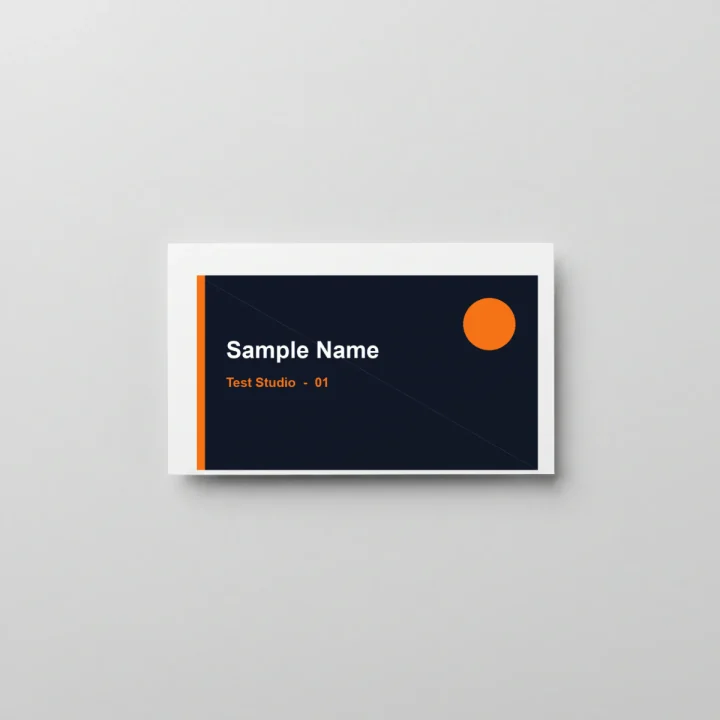
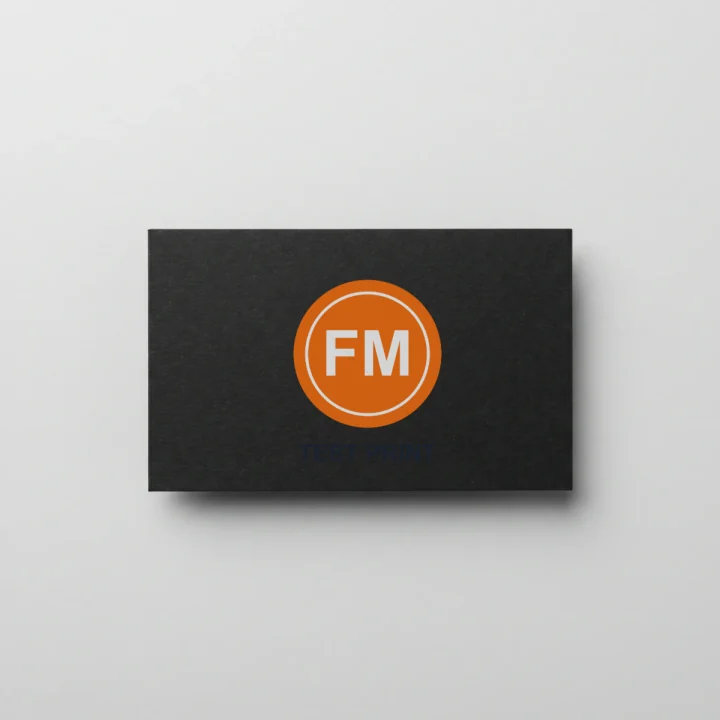
- Format
- PNG (RGBA), one file per template
- Pixel size
- 1200 × 1200 px on all 12 templates
- Background
- Opaque: alpha is 255 on every pixel, so the photo backdrop is part of the file. There is no transparent cut-out.
- File size
- 0.39–1.76 MB per PNG with our test design
- Batch zip
- logo-mockups.zip: 12 PNGs, 13.8 MB, stored without compression
What it can’t do
- One face, lying flat. All 12 templates are single cards shot from above: no back side, stack or hand-held shot.
- The print area is one fixed rectangle in the same spot on all 12 photos, but the cards differ in size and position. Our 1050 × 600 px edge-to-edge design left a rim of blank card on most of them (left image) and ran slightly past the right and bottom edges of the burgundy and cream cards. Enlarging it fixes neither; nothing trims the design to the card.
- Art is fitted, not stretched. Our 1.75 : 1 design is wider than the 1.62 : 1 print area, so it took the full width and left a little of the area empty above and below.
- No foil, embossing, spot UV or paper texture: the design sits flat with 20% of the photo’s shading on top.
Where the file goes: Instagram post
Instagram keeps a photo at its original resolution when it is 320–1080 px wide with an aspect ratio between 1.91:1 and 3:4, and sizes anything wider down to 1080 px. The square 1200 × 1200 export is inside that ratio range, so it isn’t cropped, and it is already wider than the 1080 px Instagram shows. Source: Instagram Help Center, “Image resolution of photos you share on Instagram”, checked 2026-10-01.
Business card mockup FAQ
What is a business card mockup?
A business card mockup is a photo of a blank card with your logo or design composited onto it, so you can see how the card will look in print before you order it. This tool builds that mockup in your browser from a design you upload.
How do I make a business card mockup for free?
Upload your logo or card artwork as a PNG, SVG, JPG or WebP, pick a card color, position the design, and download a clean 1200px PNG. There is no watermark, no account and no email step on the free export.
Which card colors and styles are included?
Twelve photoreal blank cards: white, black, charcoal, grey, navy, forest green, burgundy, slate blue, cream, kraft, blush and sand. Pick any card to re-render your design on it instantly.
Should I upload a transparent PNG or an SVG?
Yes — a transparent PNG or an SVG works best, because the card color shows around your logo. A JPG carries a white box that will sit as a visible rectangle on darker cards, so prefer PNG or SVG for card art.
Can I use these business card mockups commercially?
Yes. The mockups you create are yours to use in brand decks, client pitches, portfolios, ads and social posts. The blank card templates are provided for commercial product mockups — see our image license for the full terms.
Does my design get uploaded anywhere?
No. Your design is composited entirely in your browser using canvas — it never leaves your device. Load the page, switch off your network, and uploading, previewing and downloading all still work.