Free Book Cover Mockup Generator
Turn your flat cover into a 3D book mockup — paperback, hardcover, KDP-ready. Free 1x PNG, no watermark, no signup.
Upload a design or try a sample to see your mockup.
Free 1200px PNG · no watermark · no signup. Your design never leaves your browser.
Finished checkout? We emailed your unlock code. Get your code
What is this mockup for?
HD exports — 2048px
Free downloads are 1200px on the long edge — below the 2000px Etsy recommends and the 2048 × 2048 Shopify recommends for product photos. HD unlocks the full 2048px master every template is built at.
- 2048px PNG, sized for Etsy and Shopify listings — single downloads and batch .zip
- Every category, all 171 templates
- One-time payment, no account, no subscription
- Your code works in any browser, forever
A crop of your current mockup. The free file has 1200px on the long edge (59% of HD per side), so it is softer when zoomed, printed, or shown above ~1200px; on a phone screen or a 1080px social post the two look the same.
$4.90 one-time
The free 1200px export stays free — no watermark, no signup.
Lost your code? Look it up
HD on
HD is unlocked on this browser.
HD 2048px PNG · no watermark · no signup. Your design never leaves your browser.
These book mockups use photoreal blanks made in-house for this tool, not photographs of a particular edition. Upload your cover, switch bindings, and export a clean PNG — all in your browser.
Cover to book mockup in three steps
Upload your cover
Drop in your flat cover artwork as PNG, JPG, WebP or SVG. It loads straight into your browser.
Pick a binding
Choose paperback or hardcover and your cover is wrapped onto the book in real time.
Download free
Export a clean 1x PNG with no watermark — ready for your KDP listing or author site.
Self-publishing sizes, verified
The free export is a clean 1200px PNG. For exact KDP trim sizes, spine width and bleed, use the cover size guide — every number is checked against Amazon’s own documentation before it ships.
Three views, because a book is a physical object
A cover is designed flat and sold as a three-dimensional thing. The gap between those two states is where most self-published covers lose.
Flat, standing and angled do different jobs
The blanks here come in all three: flat and face-up, standing upright, and at a three-quarter angle. Flat is the honest view of the artwork. Standing is how a retail listing shows it. The angle shot shows thickness, which is what makes a book look like something you'd hold rather than a JPEG.
Paperback and hardcover are different products
Both are included, and they aren't interchangeable. A hardcover has a wrapped board with a hinge and usually a jacket; a paperback is a single flexible cover that bends and shows wear at the spine. Pricing, printing and the buyer's expectations all differ — decide which you're publishing before you design the cover.
The thumbnail is the real battlefield
Most book covers are first seen at the size of a postage stamp in a search result. A title that's legible at that size, strong value contrast and one clear focal point beat detailed illustration every time. Shrink your cover to thumbnail size before you commit; it's the most honest test there is.
Design size
- Print area
- 1024 × 1550 px
- Aspect ratio
- 1 : 1.51(taller than wide)
- Base image
- 2048 × 2048 px
Your design is scaled to fit and centred — never stretched. A canvas at 1 : 1.51 fills this print area edge to edge.
What the free export actually is
On 2026-10-01 we ran this tool on our own build with a plain test design we made ourselves, downloaded the free PNG and the batch zip, and measured every file. The images below are those downloads, reduced for this page.
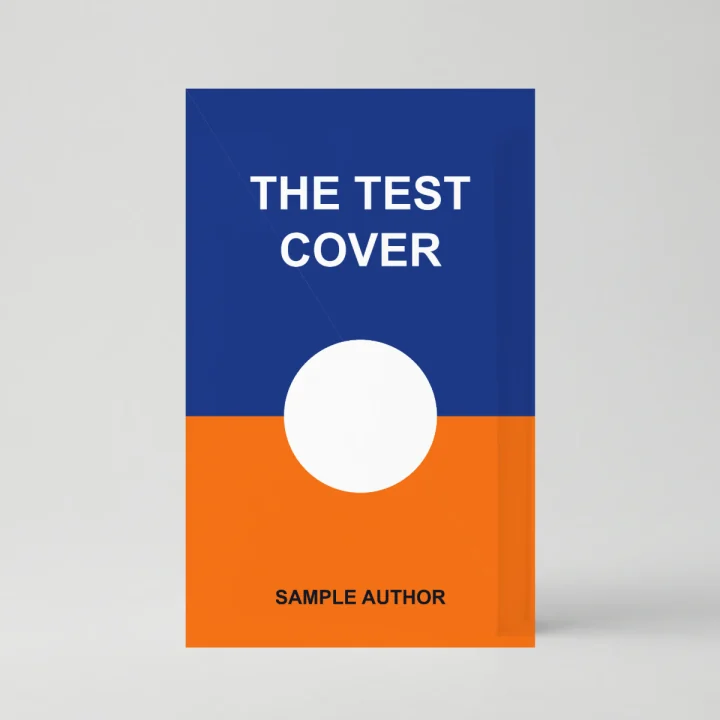
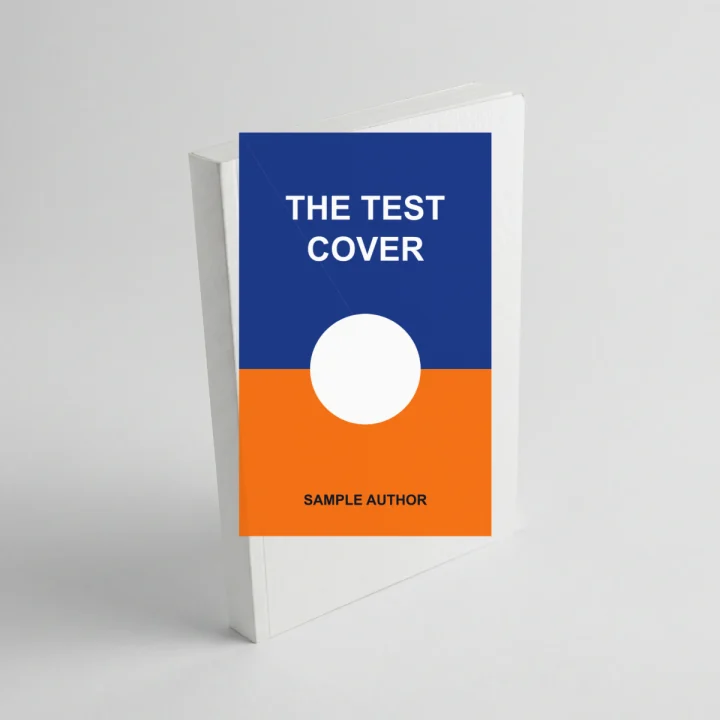
- Format
- PNG (RGBA), one file per template
- Pixel size
- 1200 × 1200 px on all 6 templates
- Background
- Opaque: alpha is 255 on every pixel, so the photo backdrop is part of the file. There is no transparent cut-out.
- File size
- 0.26–2.19 MB per PNG with our test design
- Batch zip
- book-mockups.zip: 6 PNGs, 5.5 MB, stored without compression
What it can’t do
- Front cover only. The spine and back cover stay blank on all 6 books, so a full wrap (back, spine and front) can’t be shown.
- On the two 3/4-angle books the artwork isn’t warped to the angle; it is placed as an upright rectangle, as the right-hand image shows. The flat and standing books are the cover-accurate views.
- The cover is laid on flat with 20% of the photo’s shading on top. There is no gloss, matte, foil or embossing effect.
Where the file goes: Amazon KDP
This file is not your KDP cover. KDP wants the flat artwork: an eBook cover is a JPEG or TIFF, ideally 2,560 px tall × 1,600 px wide (KDP, “What criteria does my eBook’s cover image need to meet?”). Where a mockup fits is A+ Content on your book’s detail page: JPG or PNG in RGB, each file under 2 MB, and A+ asks for images that aren’t already in your product gallery (KDP, “A+ Content Guidelines”). Our book PNGs were 0.26–2.19 MB; the heaviest is over 2 MB, so save that one as JPG. Both pages checked 2026-10-01.
Book cover mockup FAQ
Is the book cover mockup generator free?
Yes. Upload your cover and download a clean 1x PNG for free — no watermark, no account, no email. Batch .zip export is free too. The only optional extra is a one-time HD unlock for 2048px exports — no account, no subscription.
Can I use these book mockups on Amazon KDP and my author site?
Yes. The mockups you create are yours to use for KDP listings, your author website, ads and social posts. The blank book templates are provided for commercial product mockups — see our image license for the full terms.
What size is the free download, and is it KDP-ready?
The free export is a clean 1200px PNG with no watermark. For exact KDP cover dimensions and bleed, see our KDP cover sizes guide; the full 2048px master is available with the optional one-time HD unlock.
Does my cover file get uploaded anywhere?
No. Your cover is composited entirely in your browser — it never leaves your device. Load the page, go offline, and uploading, previewing and downloading still work.
Can I show a paperback and a hardcover of the same design?
Yes. Pick a cover style and your artwork re-renders on it instantly. More bindings and 3D angles are added as new templates ship.
What book mockup styles are included?
Six photoreal blanks: paperback and hardcover, each shown flat, standing upright, and at a three-quarter angle. Your flat cover is wrapped onto whichever book mockup you pick, so the same artwork can be shown as a paperback mockup and a hardcover mockup without re-exporting anything.